Kling 4.0 AI Video Generator

Set up a Kling 4.0 video for up to 120 seconds in 4K HDR, with 15 references and multiple keyframes.

120s & 4K HDR15 ReferencesMultiple Keyframes

Workspace

Files stay in this browser.

Output settings

Outputs

Kling 4.0 · Omni Reference · 720p · 5s · 16:9 · 1 output

Files stay in this browser. This panel does not upload them or charge credits.

Uses your account email. No generation or credit charge. Unsubscribe from any update email.

Inspirations

Example briefs

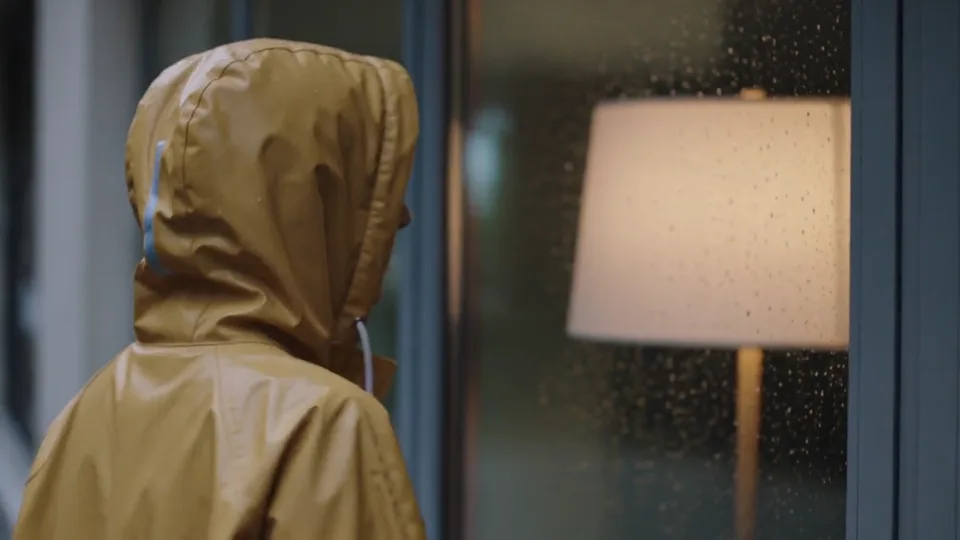
A single five-second cinematic medium shot at shoulder height. A woman in a mustard-yellow raincoat pauses beside a warmly lit window on a rainy evening, then gently turns her face toward the light. The composition includes only her upper body, softly blurred amber light through plain glass, and rain in the foreground. No storefront facade, signs, lettering, readable books or street names are in frame. Slow restrained camera push-in, natural blinking, consistent facial features, realistic raindrops and warm reflections, no cuts. Audio: soft falling rain and a quiet distant city ambience, no speech or music. No text, logos or subtitles.

120s & 4K HDR inspiration

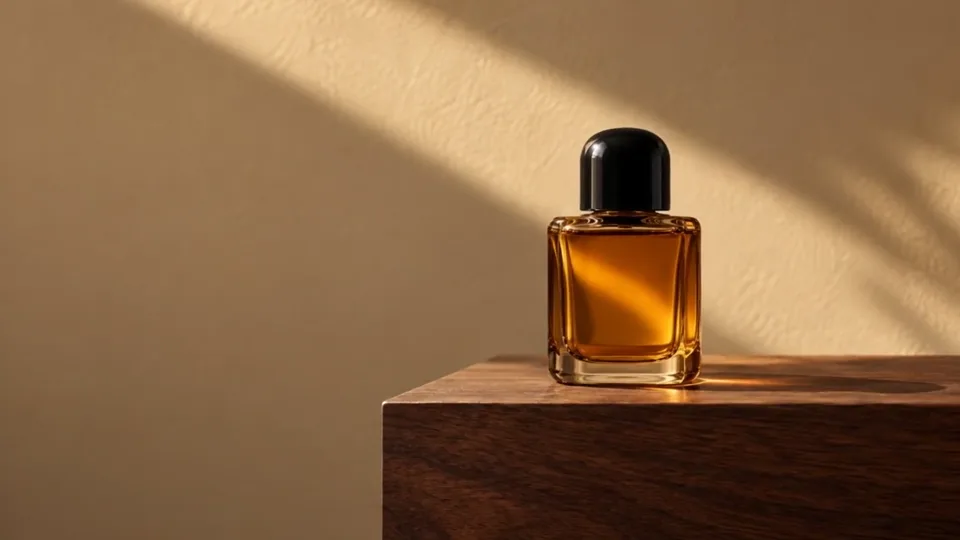
Use the uploaded perfume photograph as the first frame. The camera slowly slides a short distance to the right, keeping the single amber glass bottle and rounded black cap in focus. A soft daylight reflection travels gently across the glass. Keep the bottle upright on the walnut plinth, with its cap closed and its silhouette unchanged. Preserve the warm sand-colored wall and natural contact shadow. One continuous shot, no cuts, no added objects, labels or text.

15 References inspiration

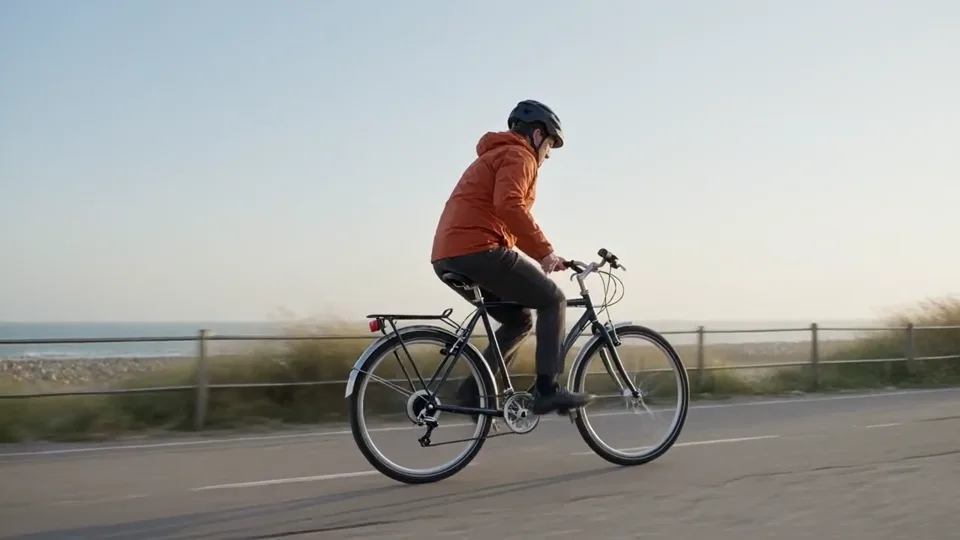
A lone adult cyclist wearing a rust-orange jacket rides a plain dark bicycle from left to right along a flat coastal path at sunrise. A low side-tracking camera moves alongside at the same pace, keeping the entire bicycle and rider in view. Distant sea and pale grasses move gently behind them. Natural soft light, realistic proportions, restrained documentary style. One continuous shot with steady forward motion, no cuts, no logos or on-screen text.

Multiple Keyframes inspiration

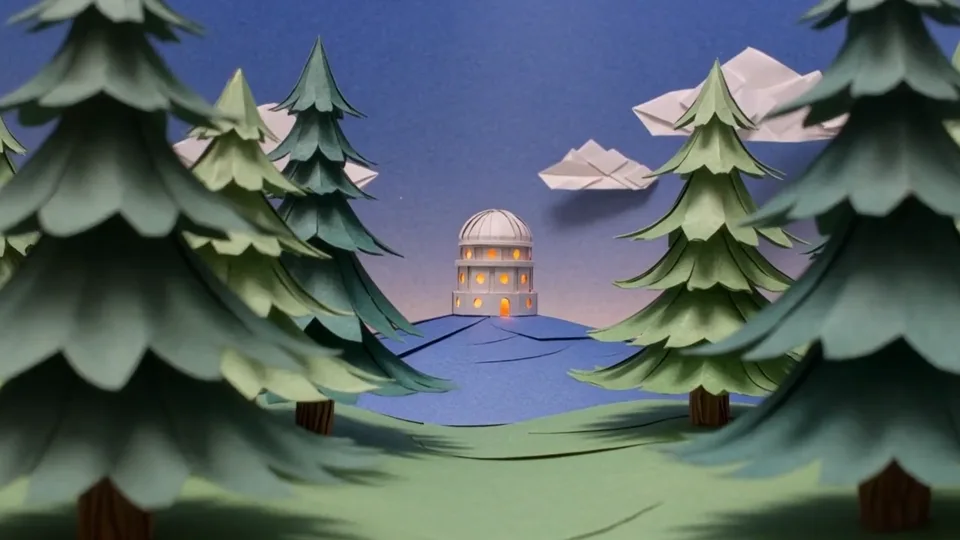
A handcrafted paper observatory stands on a small indigo hill beneath a deep blue evening sky. Warm amber light glows inside its round windows. Layered paper pine trees frame the foreground, with small folded clouds farther away. The camera slowly pushes forward between the trees toward the observatory, revealing gentle parallax between the paper layers. Keep the observatory shape and window positions stable. Tactile cut-paper edges, soft miniature-set lighting, one continuous shot, no people, lettering or cuts.

120s & 4K HDR inspiration

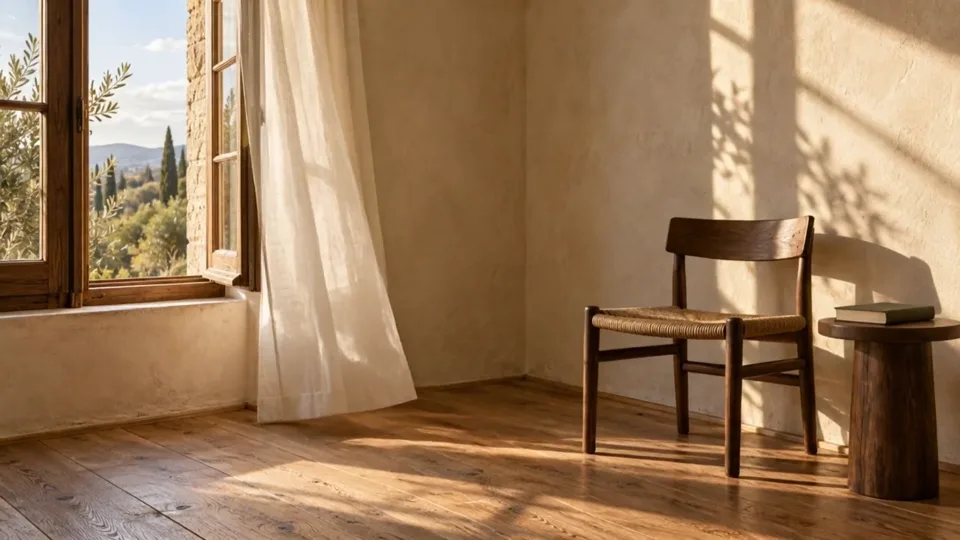
Starting from the provided room image, a light breeze slowly lifts the sheer curtain beside the open window and lets it settle. The camera stays locked. Keep the window frame, furniture, wall details, and daylight direction unchanged. One continuous shot, no new objects or text.

15 References inspiration

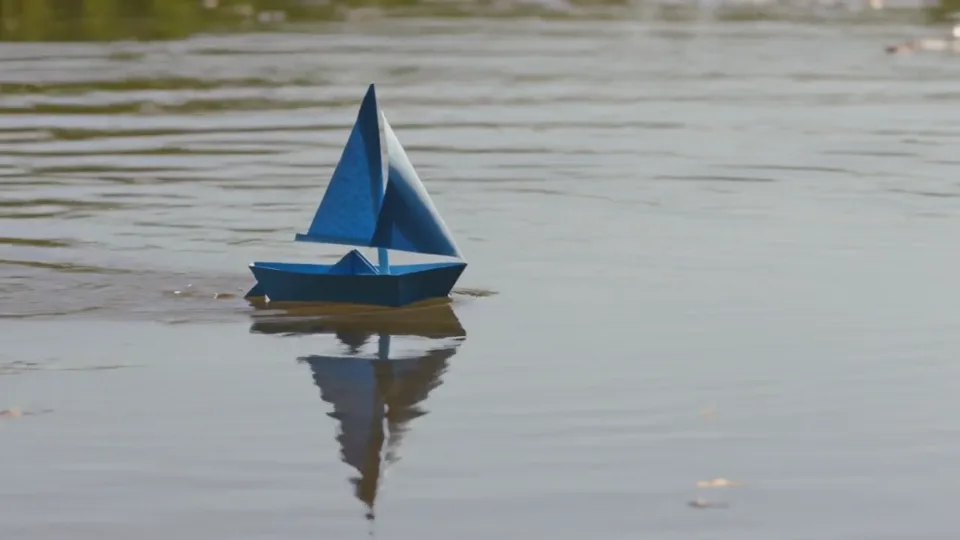
One continuous low-angle tracking shot of a single blue paper sailboat floating from left to right across a shallow sunlit pond. The camera gently follows at water level as the boat passes a reed. Small ripples trail behind it. Preserve the folded paper hull and sail, soft afternoon reflections and realistic scale. No people, text, cuts or additional boats.

Multiple Keyframes inspiration

Kling 4.0 video examples

Use these briefs to shape a long 4K HDR shot, a stack of references, or a sequence of keyframes.

120s & 4K HDR

Warm light on a rainy evening

One continuous camera move, a simple gesture, and rain ambience.

Example prompt

A single five-second cinematic medium shot at shoulder height. A woman in a mustard-yellow raincoat pauses beside a warmly lit window on a rainy evening, then gently turns her face toward the light. The composition includes only her upper body, softly blurred amber light through plain glass, and rain in the foreground. No storefront facade, signs, lettering, readable books or street names are in frame. Slow restrained camera push-in, natural blinking, consistent facial features, realistic raindrops and warm reflections, no cuts. Audio: soft falling rain and a quiet distant city ambience, no speech or music. No text, logos or subtitles.

Build depth into a small scene

An original text-to-video paper observatory uses one slow push-in and layered foreground elements.

Example prompt

A handcrafted paper observatory stands on a small indigo hill beneath a deep blue evening sky. Warm amber light glows inside its round windows. Layered paper pine trees frame the foreground, with small folded clouds farther away. The camera slowly pushes forward between the trees toward the observatory, revealing gentle parallax between the paper layers. Keep the observatory shape and window positions stable. Tactile cut-paper edges, soft miniature-set lighting, one continuous shot, no people, lettering or cuts.

15 References

Slide past an amber perfume bottle

One amber bottle with a rounded black cap stays still on walnut while the camera slides slowly right.

Example prompt

Use the uploaded perfume photograph as the first frame. The camera slowly slides a short distance to the right, keeping the single amber glass bottle and rounded black cap in focus. A soft daylight reflection travels gently across the glass. Keep the bottle upright on the walnut plinth, with its cap closed and its silhouette unchanged. Preserve the warm sand-colored wall and natural contact shadow. One continuous shot, no cuts, no added objects, labels or text.

Animate a detail in your first frame

A still room provides the composition; the prompt adds curtain movement.

Example prompt

Starting from the provided room image, a light breeze slowly lifts the sheer curtain beside the open window and lets it settle. The camera stays locked. Keep the window frame, furniture, wall details, and daylight direction unchanged. One continuous shot, no new objects or text.

Multiple Keyframes

Keep one action easy to follow

A text-to-video tracking shot tests clear subject movement and a readable background.

Example prompt

A lone adult cyclist wearing a rust-orange jacket rides a plain dark bicycle from left to right along a flat coastal path at sunrise. A low side-tracking camera moves alongside at the same pace, keeping the entire bicycle and rider in view. Distant sea and pale grasses move gently behind them. Natural soft light, realistic proportions, restrained documentary style. One continuous shot with steady forward motion, no cuts, no logos or on-screen text.

Give one action room to unfold

A paper boat moves through a scene while the camera tracks it.

Example prompt

One continuous low-angle tracking shot of a single blue paper sailboat floating from left to right across a shallow sunlit pond. The camera gently follows at water level as the boat passes a reed. Small ripples trail behind it. Preserve the folded paper hull and sail, soft afternoon reflections and realistic scale. No people, text, cuts or additional boats.

What is Kling 4.0?

Kling 4.0 is Kuaishou’s video model for a longer shot, a sharper picture, and tighter control of references and keyframes. A brief can run up to 120 seconds in 4K HDR, carry 15 references, and follow multiple keyframes.

Kling 4.0 collects the model’s video controls and examples in one place.

For a clip you can generate on this site now, open the Kling 3.0 workspace.

Kling 4.0, Flash, and Kling 3.0

Match the model to the length, picture, references, and keyframes in the brief.

Kling 4.0Kling 4.0 FlashKling 3.0
DurationUp to 120 secondsUp to 30 secondsGenerate in the live workspace
Picture720p, 1080p, and 4K HDR720p or 1080pSet in the live workspace
ReferencesUp to 15Up to 15Reference image and prompt
KeyframesMultiple keyframesMultiple keyframesPrompt-led shots

How to set up a Kling 4.0 video

  1. 01

    Choose the model

    Pick Kling 4.0 for 120 seconds and 4K HDR, or Kling 4.0 Flash for a shorter 720p or 1080p cut.

  2. 02

    Add references or keyframes

    Attach up to 15 references, or place multiple keyframes for the opening, a change, and the end.

  3. 03

    Set the output

    Choose the duration, picture size, and aspect ratio, then review the brief in the planner.

Where Kling 4.0 fits

Use the longer duration, the reference stack, or the keyframes depending on the shot.

A long product shot

Hold a pack, a label, and the camera move through one 4K HDR take instead of cutting the idea into several short clips.

A consistent character

Give the face, the outfit, and the motion their own references so each of the 15 slots has one job.

A guided camera move

Place keyframes where the story turns, then let the frames carry the shot from the first image to the last.

Kling 4.0 questions

How long can a Kling 4.0 video be?

A Kling 4.0 video can run up to 120 seconds. Use the planner to set a shorter cut when the shot only needs a few seconds, and keep the longer duration for a scene that has a beginning, middle, and end.

Does Kling 4.0 support 4K HDR?

Yes. Kling 4.0 includes 4K HDR, along with 720p and 1080p. 4K HDR is the setting for brighter highlights and deeper shadows. Kling 4.0 Flash stays on 720p or 1080p.

How many references can Kling 4.0 use?

Kling 4.0 accepts up to 15 references in one video. Give each reference one job, such as a face, a product, or a motion, so the shot has a clear target for every file.

What does multiple keyframes mean?

Multiple keyframes are the frames you place through the shot. Mark the opening, a change in the middle, and the ending, and Kling 4.0 follows those moments instead of inventing the whole move from one prompt.

How is Kling 4.0 different from Kling 3.0?

Kling 4.0 is the setup for up to 120 seconds, 4K HDR, 15 references, and multiple keyframes. Kling 3.0 is the live workspace on this site for a clip you can generate now.

How is Kling 4.0 Flash different from Kling 4.0?

Kling 4.0 Flash is the lighter setup in the same planner: 720p or 1080p, and a duration up to 30 seconds. Choose Kling 4.0 when the brief needs 120 seconds or 4K HDR.

Explore Kling 4.0 further

Get Kling 4.0 updates

Email your account when Kling 4.0 generation opens on this site.

Uses your account email. No generation or credit charge. Unsubscribe from any update email.