Nano Banana ProAI Image Generator

Create detailed AI images with prompt, reference, aspect-ratio and resolution controls in one workspace.

Workspace

50 Credits
Model

No file selected

JPG, PNG, WebP. Up to 16 images, max 10MB each.

No reference image uploaded yet.

Try 365 DAYS Unlimited Seedance 2

Inspirations

Editorial Portrait

Editorial Portrait

A cinematic portrait in soft natural light, 85mm lens look, subtle film grain, editorial style.

Product Poster

Product Poster

A premium product poster with dramatic spotlight, clean dark gradient background, high contrast.

History

No history yet. Generate your first task.

Nano Banana Pro, with a designer’s brief

Give typography, materials and composition a clear purpose. Explore original posters, product images and illustrated stories, then adapt a prompt to your own project.

Choose a starting point. Make it yours in the workspace above.

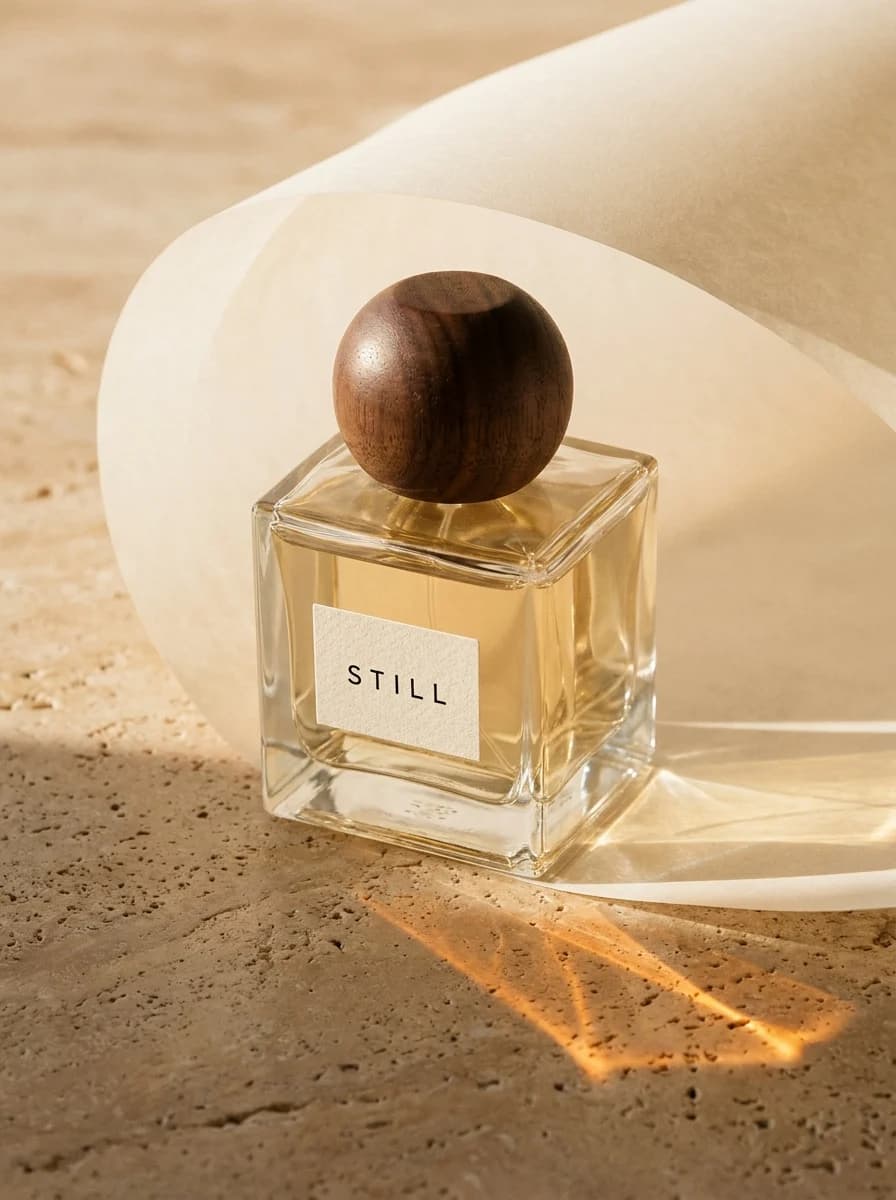
  • Glass perfume bottle with a STILL label, wooden cap and amber light on travertine

    Glass, light and a single label

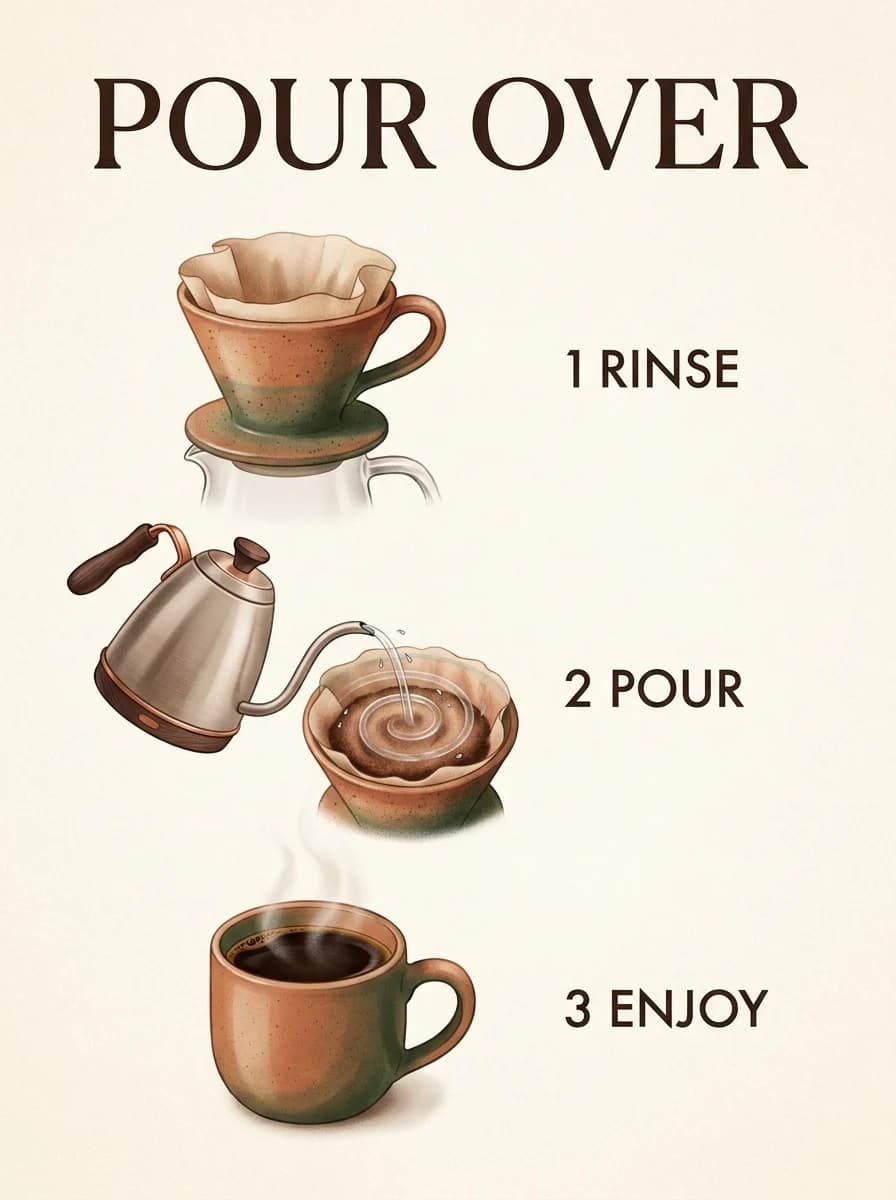
  • POUR OVER infographic showing rinse, pour and enjoy in three illustrated steps

    An explanation you can see

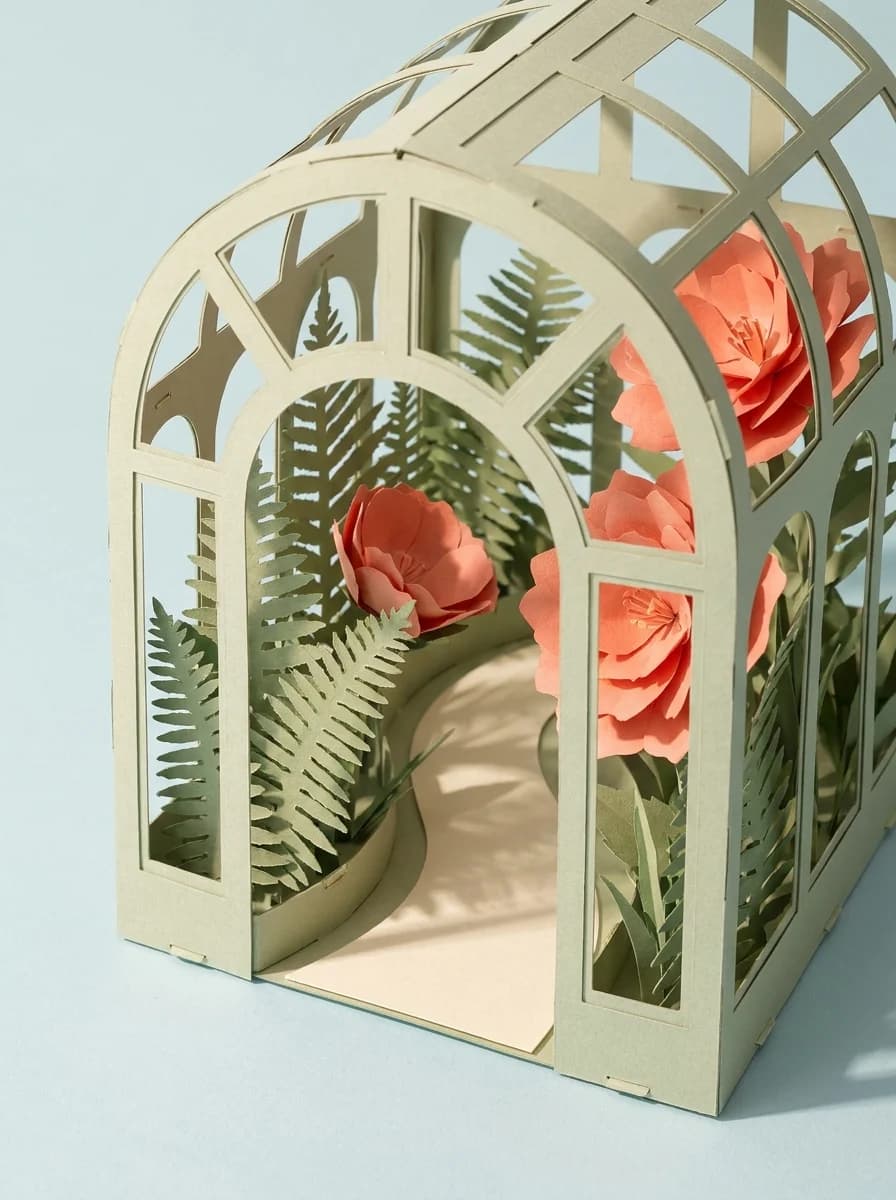
  • Paper conservatory with layered ferns and coral flowers

    A garden made from paper

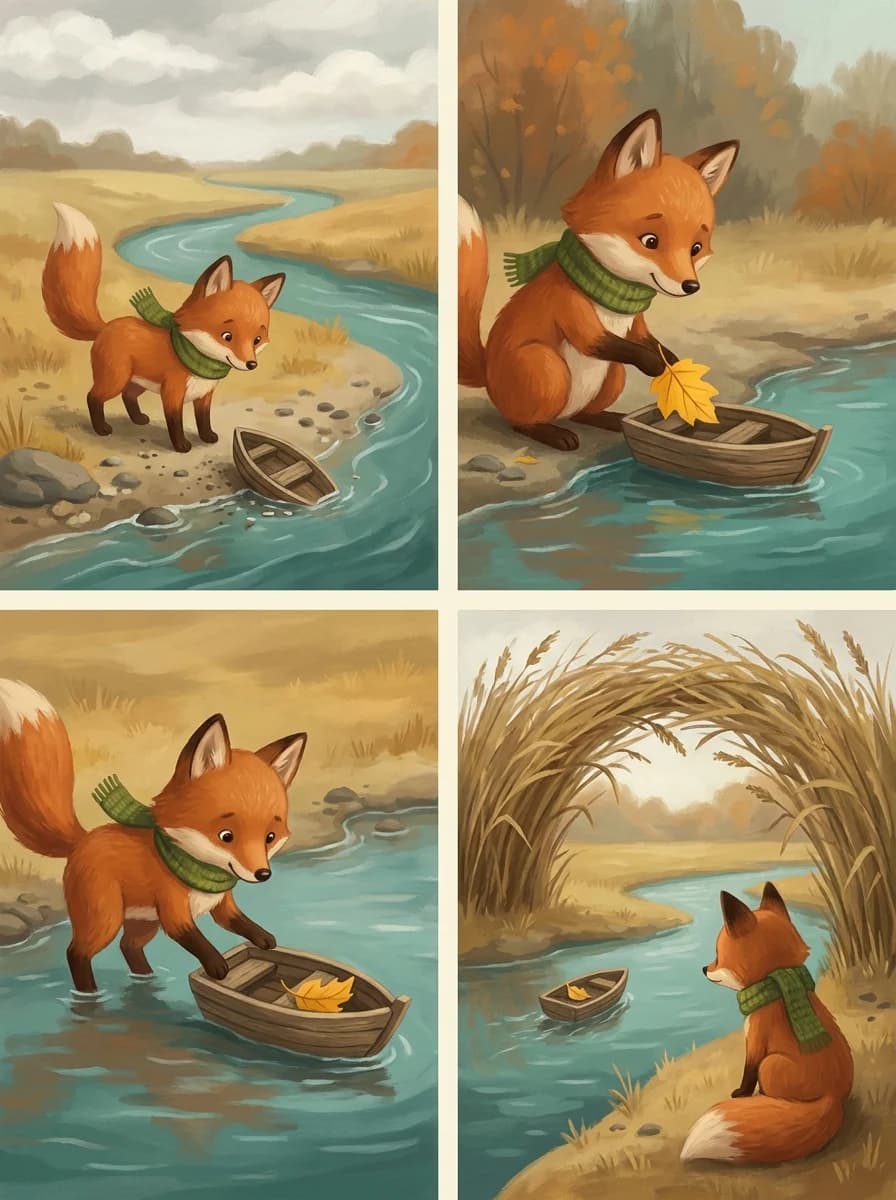
  • Four-panel fox story with a green scarf, leaf and wooden boat

    One character, four small adventures

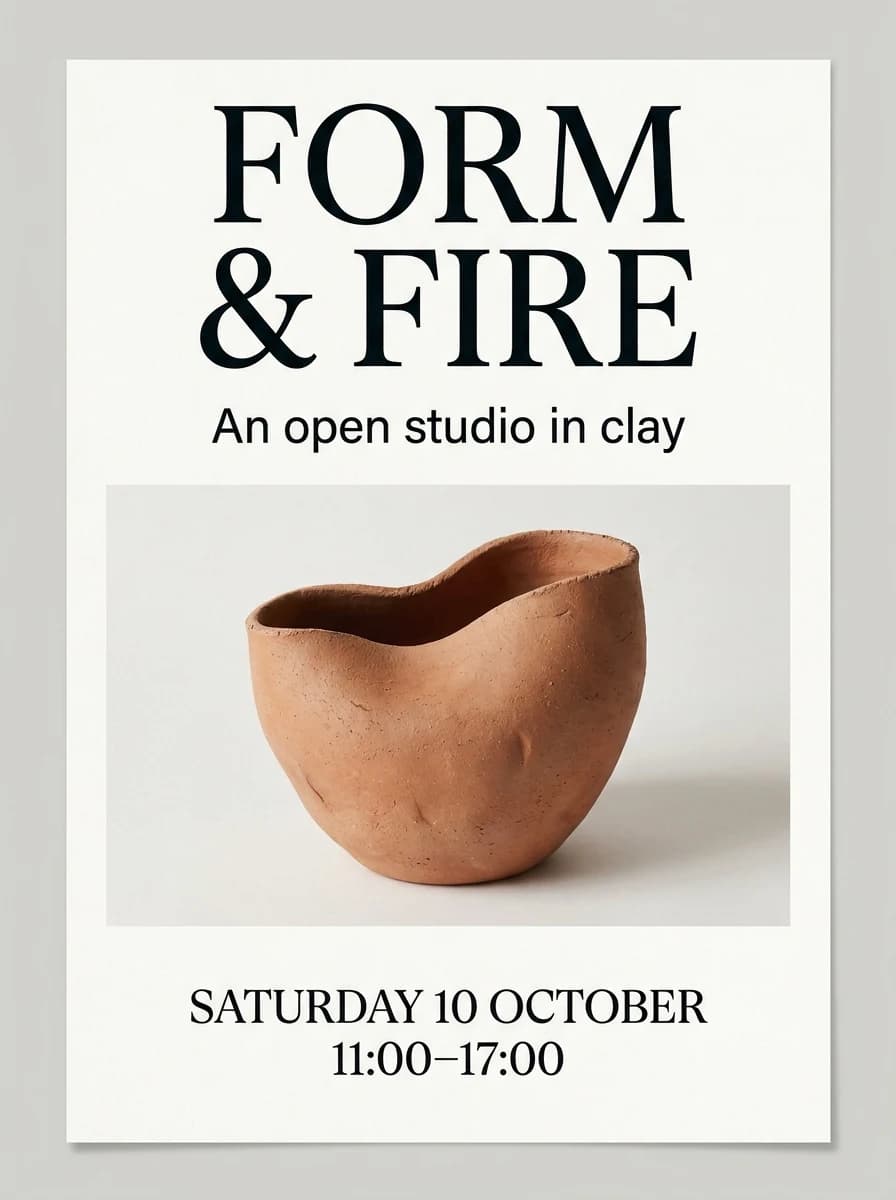
  • FORM & FIRE ceramics poster with a terracotta vessel and legible event date and time

    An editorial poster with exact copy

Nano Banana Pro at a glance

Nano Banana Pro features and uses
FeatureIn this workspacePut it to work
Text-led designExact copy in your promptSpecify headline, reading order and margins.
Reference compositionText or uploaded imagesAssign a clear role to each reference.
Resolution1K, 2K and 4KRefine at 1K before choosing a larger output.
FramingPortrait, square and landscape optionsMatch the format to the final placement.
OutputPNG or JPEGInspect the downloaded image before publishing.
FORM & FIRE ceramics poster with a terracotta vessel and legible event date and time

A poster where the copy comes first

Separate the exact words from the art direction. A single ceramic vessel leaves the headline room to work; generous margins keep the smaller event details readable.

Prompt

Create a flat portrait-format editorial poster for a fictional ceramics open studio. Use an off-white paper background and a restrained black-and-terracotta palette. The upper third contains the exact headline "FORM & FIRE" on two lines, with FORM above & FIRE, set in large clean serif lettering. Under the headline, include exactly "An open studio in clay" in smaller sans-serif type. The middle of the poster contains a single photographed unglazed ceramic vessel with an asymmetric opening, clearly separated from the type. Near the bottom, set exactly "SATURDAY 10 OCTOBER" and, on the next line, "11:00–17:00". Keep all text inside a generous clear margin. Preserve a quiet, deliberate hierarchy: headline first, vessel second, event details third. Do not invent a venue, price, website, logo, signature, or additional copy. Do not wrap text around the vessel. Return the poster artwork itself, not a framed mockup or a photograph of a poster.

Glass perfume bottle with a STILL label, wooden cap and amber light on travertine

Make the material part of the story

Glass, liquid and stone respond differently to light. Describe the bottle, label and lighting separately to give the product image a clear focal point.

Prompt

Create a portrait editorial product photograph of a fictional perfume named STILL. One squat clear glass bottle filled with pale amber liquid, a rounded dark walnut cap, and a small ivory label showing only the exact word STILL in widely spaced black capitals. Place it on warm travertine beside one curved sheet of translucent cream paper. Afternoon light passes through the glass and casts a believable amber caustic on the stone. Calm beige and honey palette, precise glass edges, realistic reflections, no extra bottles, flowers, hands, logos or additional text. Keep the complete bottle and cap inside the frame with generous breathing room.

Nano Banana Pro vs Nano Banana 2

Pro and 2 are different models, not two names for the same setting. Compare them with your own brief rather than choosing by the name alone.

Nano Banana Pro and Nano Banana 2 model comparison
CompareNano Banana ProNano Banana 2
Model familyGemini 3 Pro ImageGemini 3.1 Flash Image
Example starting pointDetailed posters and product art directionEveryday scenes and alternate compositions
Workspace inputsText or referencesText or references
Resolution options1K / 2K / 4K1K / 2K / 4K
How to chooseCheck lettering, layout and reference detailUse the same brief and inspect the differences

Explore the Nano Banana and Nano Banana 2 guide for the original model and a same-prompt example.

Two references. Two different jobs.

Use image 1 to define the product and image 2 for the set’s palette or texture. Tell the model which details must stay, and keep unrelated objects out of the second reference.

Attach your own images before trying this editing brief. Loading it keeps existing uploads, so check their order. For a simpler background change, try the Nano Banana Edit workflow.

Prompt

Create one product photograph using the attached references with strictly separate roles. Reference image 1 defines the product: preserve its silhouette, proportions, handle or opening if present, visible seams, original surface finish, and original color. Reference image 2 defines only the set palette and material texture: use its muted tones and tactile surface character for the background and tabletop, not for the product. Do not copy a product or object from image 2. Place the product from image 1 slightly left of center, fully visible, on a level surface. Leave the right quarter of the composition empty for copy to be added later; do not generate any text there. Use one large soft light from the upper left, natural contact shadows, and a calm editorial still-life composition. Do not redesign, duplicate, relabel, or crop the product. Do not combine the two reference images into a collage. If more references are attached, keep image 1 authoritative for the product and image 2 authoritative for the set.

Refine one thing at a time

Proofread small copy and inspect product geometry at full size. More pixels will not fix a misspelled word. Check the current credit quote and plan information before generating.

Questions before you generate

Is Nano Banana Pro another name for Nano Banana 2?

No. Google identifies Nano Banana Pro as Gemini 3 Pro Image, while Nano Banana 2 is Gemini 3.1 Flash Image. They remain different choices here. Choose a model by the brief you need to test, not by treating Pro and 2 as interchangeable names.

Do the Pro briefs need reference images?

The poster brief starts from text and does not require a reference. The two-reference product brief needs an image defining the product and a second image defining the set’s palette or texture. Loading the brief does not attach either image. Use images you have permission to upload and confirm their order yourself.

Can I control lighting or layout without extra settings?

Describe the desired lighting and layout in the prompt. These instructions are not additional camera, lighting or typography controls in this workspace, and they are not guarantees. The visible model, aspect ratio, resolution, format and quality controls are separate; review the result before deciding what to change.

Does choosing 4K guarantee correct text or product details?

No. A resolution selection is not a correctness check. Start by testing the brief, then inspect spelling, punctuation, proportions and reference fidelity at the intended display size. Confirm the actual delivered file dimensions and current quote; do not assume that a larger setting repairs an incorrect detail.

Can I continue an edit just by writing “change the background”?

Do not assume an ongoing conversation carries the previous image into a new task. State what should stay and what should change in a self-contained prompt. When the previous output is needed as a reference, attach it yourself through the existing image input and confirm the selected model before generating.

Are the gallery images generated with Nano Banana Pro?

Yes. The gallery uses our own Pro outputs with their corresponding prompts. New runs can differ. The two-reference editing brief is separate and needs your own photos; it is not an illustrated before-and-after result.