Wan 3.0AI Video Generator

Create Wan 3.0 videos from text, first and last frames, multimodal references, files, or public webpages.

Workspace

Model
Input mode

Billing includes reference video + generated video duration. Reference video duration is verified on the server.

Prompt
Aspect Ratio

Inspirations

Wan 3.0 video examples

Watch three scenes made with Wan 3.0 in this workspace. Read each prompt and adapt it to your own shot.

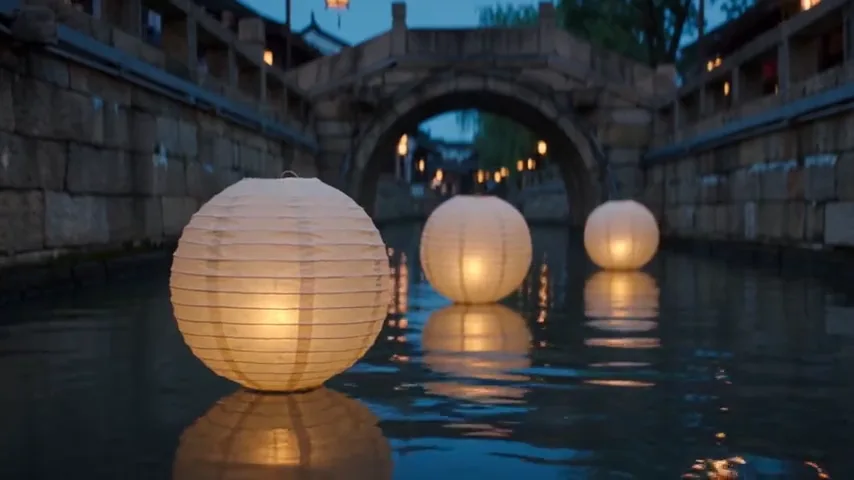
Lanterns crossing a quiet canal

Three lanterns drift while the camera follows their reflections at water level.

Prompt

One continuous five-second cinematic shot at dusk: three ivory paper lanterns drift slowly along a narrow stone canal. The camera tracks beside the nearest lantern at water level while warm amber reflections break across gentle ripples. Keep all three lanterns distinct and the arched bridge stable in the background. Fine paper texture, deep blue evening sky, restrained realistic motion. Audio: soft flowing water and a distant evening breeze, no speech or music. No cuts, people, writing, logos or subtitles.
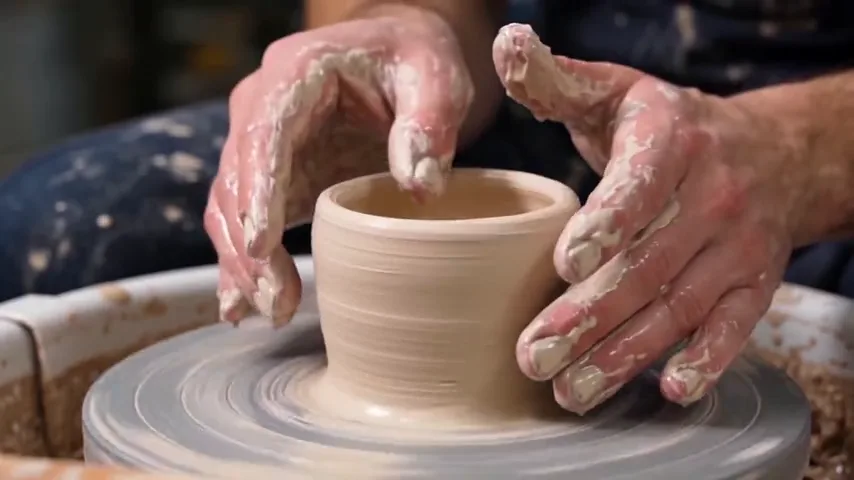
One careful motion at the pottery wheel

A close, locked shot lets the changing clay rim carry the action.

Prompt

One continuous five-second close shot of a potter shaping a small cream-colored clay cup on a slowly turning wheel. Only the potter's hands, the cup and the wheel are in frame. One hand gently narrows the rim while the other steadies the wall; wet clay glistens under soft side light. Keep the cup upright and its shape continuous. The camera remains locked at table height, shallow depth of field, tactile workshop realism. Audio: low wheel hum and quiet clay movement, no speech or music. No cuts, extra objects, writing or logos.

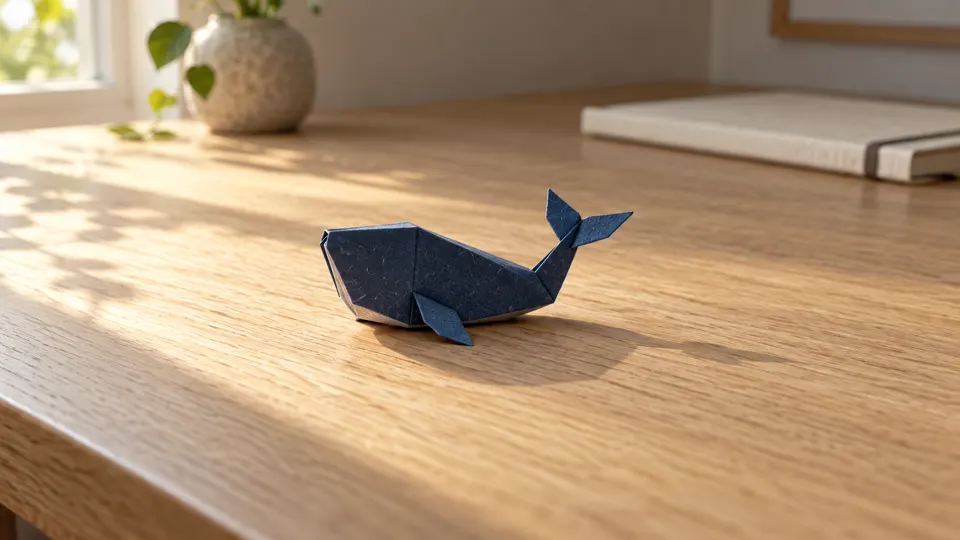
Give a paper still life a little motion

A supplied first frame keeps the folded whale and desk in the same composition.

Prompt

Use the uploaded first frame of the small indigo folded-paper whale on a pale oak desk. In one continuous five-second shot, a gentle breeze lifts the whale's paper tail slightly and lets it settle; the whale stays on the desk and keeps its folded silhouette. Sunlight and leaf shadows drift slowly across the wood while the camera makes a very subtle push closer. Preserve the same notebook, room, light direction and paper texture. Quiet room ambience and a faint paper rustle, no speech or music. No water, extra objects, writing, logos or cuts.

Upload your own first frame before generating. Recreate does not upload this example artwork.

What is Wan 3.0?

Wan 3.0 is a video-generation model in Alibaba's Wan family. In this workspace, you can start with words, first and last frames, other reference media, or a public file or webpage URL. Those are different ways to guide one moving clip—not four separate models.

Begin with the part that matters most. A text prompt is enough for an open-ended idea; a frame is useful when you already have a composition to animate. You can make a starting still in GPT Image 2.0, then bring your own image into Wan 3.0. The example artwork on this page is not uploaded when you select Recreate.

The short scenes above show what specific prompts can produce. Check their motion, shape continuity and audio yourself; a good result is not a guarantee that every variation will behave the same way.

Lanterns reflected in a canal at dusk, frame from a Wan 3.0 video example
A still frame from the moving canal example above.

Wan 3.0 at a glance

These are the options offered by this site's Wan 3.0 workspace. The quote updates with your chosen inputs and settings.
Wan 3.0 options in RSW AI Studio
SettingAvailable hereWhen to choose it
InputText · First / Last · References · File / WebMatch the source material you actually have
Clip length2–30 seconds, or AutoLeave room for the action to finish
Resolution480p · 720p · 1080pDraft, review or larger playback
Frame and soundFive aspect ratios plus Auto; Audio switchChoose the destination and listen to the result

From a scene idea to a finished clip

  1. Choose a starting point

    Use Text for a scene you are inventing. Choose First / Last when you want a known beginning or ending; choose References only when you have media that helps define the scene.
  2. Write the movement

    Describe the subject's action separately from the camera move. Set duration, ratio, resolution and Audio. Review the live credit quote before you submit.
  3. Watch and adjust

    Open the completed result in History or My Creation. Watch to the final frame, check sound if enabled, then change one instruction before another generation.

Which Wan 3.0 input should you use?

The strongest input is the one that answers the uncertainty in your brief. More files are not automatically better.

Text

Start with no media. Define the subject, visible action, setting and one camera move. Use this when exploration matters more than matching a particular frame.

First / Last

Upload a first frame to animate an existing composition; add a compatible last frame when you need an ending to work toward. A prompt still needs to describe the transition.

References

Guide the clip with supported images, video or audio. State what each reference contributes. For video references, their verified duration also contributes to the quote.

File / Web

Give a publicly reachable file or webpage URL when the source cannot be uploaded directly. Private pages or expiring links may not be usable by the generator.

Indigo folded-paper whale resting on an oak desk in the starting frame
The starting image made in GPT Image 2.0.
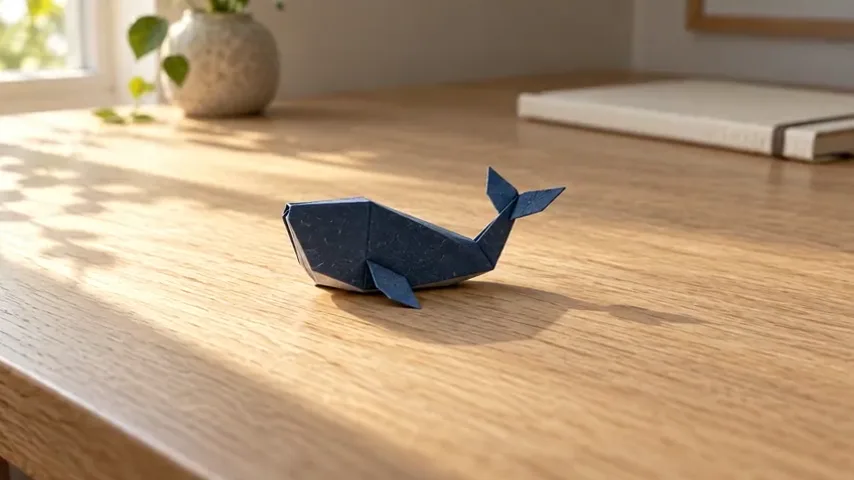
Frame from Wan 3.0 animation retaining the folded-paper whale on the same desk
A frame from its Wan 3.0 animation; watch the video above for the motion.

If a reference introduces a character or product, check whether its appearance stays consistent throughout the result. Reference media guides the model; it is not a promise of frame-perfect preservation.

Write a prompt that can be filmed

A video brief needs time and movement, not just a list of visual styles.
  1. 01

    Start with one action

    Say who or what moves, where the action begins and how it ends. A cup being shaped on a wheel is easier to judge than several unrelated events.

  2. 02

    Give the camera a job

    Choose a locked frame, push or tracking move. State what must remain in view so movement does not cut away the subject.

  3. 03

    Protect important details

    Name the objects, colors or edges that should not change. Describe sound only when it is useful, then listen to the generated clip.

An example of a filmable brief

“At dusk, three paper lanterns drift along a narrow canal. Track slowly beside the nearest lantern as warm reflections break across the ripples. Keep the lanterns distinct and the stone bridge stable. One continuous shot, no cuts or writing.”

The prompt separates the moving subject from the moving camera, and tells you what to inspect in the result. Start with one scene before asking for transitions.

Wan 3.0 vs Wan 2.7

Choose by the inputs and controls you need in our current workspaces—not by an untested claim that one model is universally better.
Wan 3.0 versus Wan 2.7 site controls
Choose byWan 3.0 hereWan 2.7 here
Main workflowText, frames, multimodal references, File / WebGenerate, reference-to-video, video edit
Clip length2–30 seconds or Auto2–15 seconds
Resolution480p, 720p or 1080p720p or 1080p
Distinct reason to chooseLonger range and public URL inputsAn explicit source-video editing workflow

If your task is to edit an existing source video, inspect the dedicated mode on Wan 2.7. If you want to explore a new scene or direct it with files and references, start here. Compare outputs with the same brief and suitable inputs; unrelated examples are not a fair quality test.

What to test with your first generation

01

A small action

One gesture or material change gives you a clear way to judge whether the subject moves naturally.

02

A moving camera

A slow track or push makes framing and background stability visible without requiring a complex scene.

03

A known first frame

Animate one detail of an existing image; check whether the objects you wanted to keep remain recognizable.

Wan 3.0 questions

Can I generate a Wan 3.0 video from text alone?

Yes. Select Text, write a scene and set your preferred duration, ratio, resolution and Audio option. No image is needed for that mode.

Can I use a first and last frame?

Yes. Select First / Last, add your own first image, and add a compatible last image if the ending matters. Describe the action between the two frames; the example image on this page is not uploaded for you.

Can I include audio or other references?

The workspace has an Audio switch and a References mode for supported image, video and audio inputs. Availability and quote depend on the chosen inputs. Review the completed clip with sound before using it.

How long can the video be?

The duration selector offers 2–30 seconds and Auto for Wan 3.0. Begin with a short scene that has one clear action, then increase the length if the shot needs more time.

What does Recreate do?

It loads the example prompt and compatible settings for review. It does not upload the example's source image, generate a new clip or charge credits by itself.

How are credits calculated?

The workspace shows a live quote before you generate. Resolution and output duration matter; a reference video can add its verified duration to the billable time. See plans and credits for account options.

Choose Your Plan

Seedance 2.0Seedance 2.0Sora 2Sora 2Veo 3.1Veo 3.1Grok Imagine Video 1.5Grok Imagine Video 1.5KlingKlingNano BananaNano BananaGPT Image 2.0GPT Image 2.0Grok ImageGrok ImageElevenLabs TTSElevenLabs TTSSunoSuno
No hidden fees. Cancel anytime.
MOST POPULAR

Pro

$13$4.99/month equivalent

$59.88 billed annually

60% OFF vs Monthly

417 credits /month

+117 Bonus vs Monthly$0.012/credit
  • Access to all video models
  • Up to 6 Concurrent Tasks
  • At least ~416 images/month
  • Up to ~60 videos/month
  • At least ~52 songs/month
  • High Removing Stability
  • Priority customer support

Unlimited Generation Privileges

Free to generate, lower priority

  • GPT Image 2.01K/2K/4K30 Days Unlimited
  • NanoBanana Pro1K/2K/4K30 Days Unlimited
  • ElevenLabs TTS30 Days Unlimited
  • Suno30 Days Unlimited
BEST VALUE

Pro Unlimited

$70$39/month equivalent

$468 billed annually

45% OFF vs Monthly

2,500 credits /month

  • Access to all video models
  • Up to 10 Concurrent Tasks
  • At least ~2,500 images/month
  • At least ~357 videos/month
  • At least ~312 songs/month
  • Maximum Removal Stability
  • Priority customer support

Unlimited Generation Privileges

Free to generate, high priority

  • Seedance 2.0480P/720P
    Seedance 2.0 Fast10 Days Unlimited
    Seedance 2.0 Standard10 Days Unlimited
    Seedance 2.0 Mini10 Days Unlimited
  • GPT Image 2.01K/2K/4K365 Days Unlimited
  • NanoBanana Pro1K/2K/4K365 Days Unlimited
  • Sora 210 Days Unlimited
  • Sora 2 Pro10 Days Unlimited
  • Grok ImagineVideo 1.514 Days Unlimited
  • Kling 3.010 Days Unlimited
  • ElevenLabs TTS365 Days Unlimited
  • Suno365 Days Unlimited
ULTRA

Pro Ultra Unlimited

$174$58/month equivalent

$696 billed annually

66% Cheaper Than Competitors

3,750 credits /month

  • Access to all video models
  • Up to 20 Concurrent Tasks
  • At least ~3,750 images/month
  • At least ~530 videos/month
  • At least ~464 songs/month
  • Maximum Removal Stability
  • Priority customer support

Unlimited Generation Privileges

Free to generate, priority capacity

  • Seedance 2.0480P/720P
    Seedance 2.0 Fast30 Days Unlimited
    Seedance 2.0 Standard30 Days Unlimited
    Seedance 2.0 Mini365 Days Unlimited
  • GPT Image 2.01K/2K/4K365 Days Unlimited
  • NanoBanana Pro1K/2K/4K365 Days Unlimited
  • Sora 2720P365 Days Unlimited
  • Sora 2 Pro720P365 Days Unlimited
  • Grok ImagineVideo 1.5480P/720P365 Days Unlimited
  • Kling 3.0720P365 Days Unlimited
  • ElevenLabs TTS365 Days Unlimited
  • Suno365 Days Unlimited
MAX

Pro Max Unlimited

$249$199/month equivalent

$2388 billed annually

20% Cheaper Than Competitors

5,000 credits /month

  • Access to all video models
  • Up to 30 Concurrent Tasks
  • At least ~5,000 images/month
  • At least ~714 videos/month
  • At least ~624 songs/month
  • All Pro Unlimited features included

Unlimited Generation Privileges

365-day priority-capacity access

  • Seedance 2.0480P/720P
    Seedance 2.0 Fast365 Days Unlimited
    Seedance 2.0 Standard365 Days Unlimited
    Seedance 2.0 Mini365 Days Unlimited
  • GPT Image 2.01K/2K/4K365 Days Unlimited
  • NanoBanana Pro1K/2K/4K365 Days Unlimited
  • Sora 2720P365 Days Unlimited
  • Sora 2 Pro720P365 Days Unlimited
  • Grok ImagineVideo 1.5480P/720P365 Days Unlimited
  • Kling 3.0720P365 Days Unlimited
  • ElevenLabs TTS365 Days Unlimited
  • Suno365 Days Unlimited

Buy More Credits

Add one-time credit packs anytime. Existing subscription benefits remain unchanged.

Basic

$29.90

ONE-TIME • No recurring charges

2,000 credits$0.0149 / Credit
Base rate
28% OFF

Standard

$69.90

ONE-TIME • No recurring charges

6,500 credits$0.0108 / Credit
42% OFF

Ultra

$199.90

ONE-TIME • No recurring charges

23,000 credits$0.0087 / Credit