Seedance 2.0 StandardAI Video Generator

Create Seedance 2.0 videos with Standard or Fast, using text, images, and compatible video or audio references.

Workspace

Model
Prompt
Supports up to 4000 characters. Prompts under 500 characters deliver stabler, better results; longer text generates slower.
Reference
No references uploaded yet.
Works with regular portraits, celebrity faces may not work.
Aspect Ratio
Try 365 DAYS Unlimited Seedance 2

Inspirations

Seedance 2.0 video examples

Explore short scenes made with Seedance 2.0 Standard in this workspace, with prompts you can adapt.

A small scene, one camera move

Object motion, rain and a controlled orbit

Prompt

One continuous five-second shot. A tiny ivory paper sailboat floats across a shallow rain puddle between dark cobblestones. Gentle ripples nudge the boat forward while the camera makes a slow low clockwise arc, keeping the whole boat in frame. Warm window reflections against cool blue evening light, realistic wet stone and folded paper. Quiet rainfall and small splashes, no music, no speech, no cuts, no text or logos.
Plan a readable five-second transformation

Stylized action with a clear beginning and end

Prompt

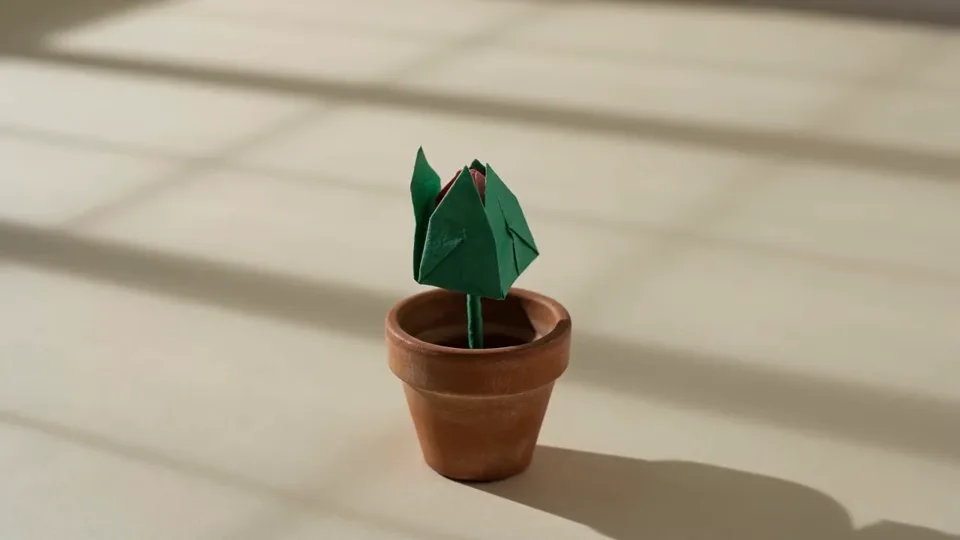
One continuous five-second stop-motion-style shot on an ivory tabletop. A small folded green paper bud opens slowly into a coral paper flower, its layered petals unfolding one after another. The stem stays planted in a tiny terracotta pot. Locked camera, wide enough to show the entire pot and blossom, soft morning side light, visible paper fibers and handmade folds. Delicate paper rustling, no speech, no music, no captions or logos.

Bring a quiet matcha scene to life

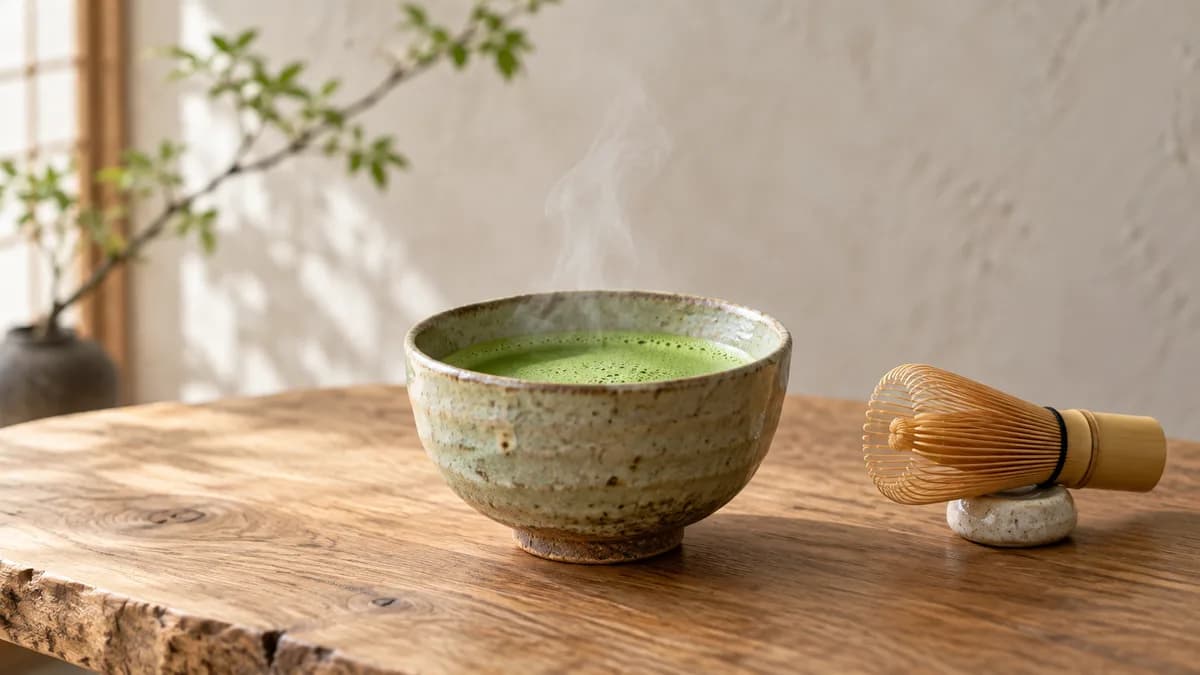
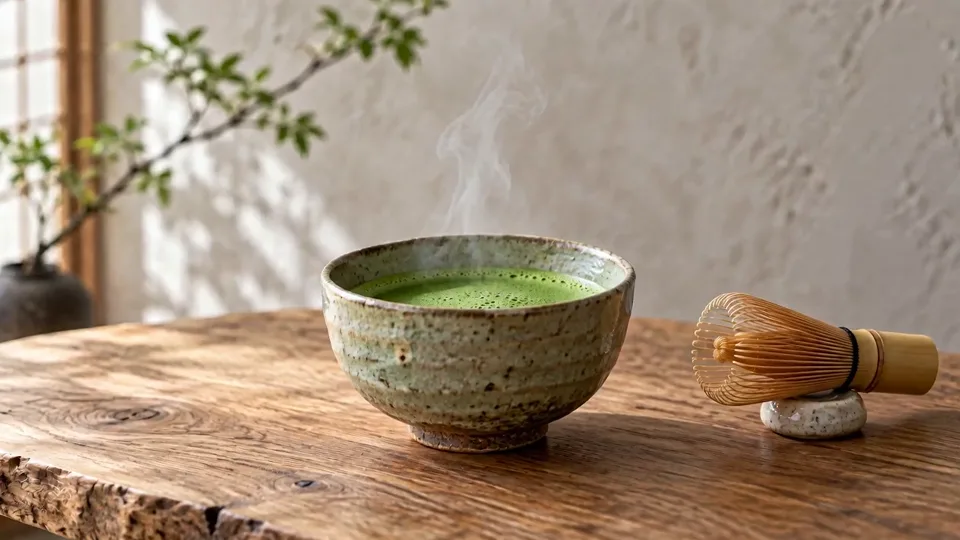
A slow push toward a matcha bowl as steam rises beside a still bamboo whisk.

Prompt

Use @image-1 as the visual reference. One continuous five-second tea scene: keep the handmade ceramic matcha bowl, bamboo whisk and wooden tabletop in their original arrangement. A thin ribbon of steam rises naturally from the tea as the camera slowly pushes closer. Keep the bowl and whisk rigid and still; only the steam and softly blurred leaves in the background move. Preserve the soft daylight and tactile glaze. Gentle room ambience, no speech, music, added objects or writing.

Add your own image as image-1 in Reference Images mode.

What is Seedance 2.0?

Seedance 2.0 is ByteDance’s AI video model for creating clips from text and visual or audio references. Use it to sketch a camera move, animate a product composition or turn a short scene description into moving footage.

In RSW AI Studio, Standard and Fast share one workspace. Choose the version and inputs for your shot, then review the result in History. Looking for another version? Explore Seedance 2.0 Mini or Seedance 2.5 on their dedicated pages.

The controls behind your shot

These are the current Standard and Fast options in this workspace. Set the format for where your video will be viewed.

Starting point
Write a text prompt, or add images, video and audio as references.
Clip length
Choose 5–15 seconds in the Standard or Fast workspace.
Framing
16:9, 9:16, 1:1, 4:3, 3:4, 21:9, or Adaptive for reference-led framing.
Resolution
Standard: 480p, 720p, 1080p and 4K. Fast: 480p and 720p. 4K requires eligible paid access and uses credits.
Reference inputs
Up to 9 images, 3 videos and 3 audio files in Reference Images mode. Audio references need an image or video alongside them.
Sound
Turn Audio on to request sound with the video. Describe the atmosphere, effects or dialogue you want.
A pale ceramic bowl of green matcha with rising steam and a bamboo whisk resting beside it on a wooden table

Keep the tea still and let the steam rise

This matcha scene starts with a pale ceramic bowl and a bamboo whisk beside it. Ask for a slow camera push toward the tea as thin steam rises. Keep the bowl and whisk still, preserving their shapes and positions on the table.

Watch the bowl’s rim and the whisk’s fine tines as the camera moves closer. To arrange your own tea scene first, create a reference with GPT Image 2, then bring it into the Seedance workspace.

Choose Reference Images for image guidance and compatible video or audio references. Upload your files first, then use their @ labels to explain each role. Avoid contradictory camera directions across the prompt and references.

Choose First and Last Frames when your images should define the endpoints. Use images only in this mode.

How to create a Seedance 2.0 video

  1. Plan one shot

    Choose Standard or Fast. Describe one subject and action, then add only useful references. Five seconds gives a simple movement room to unfold.
  2. Set the format

    Choose ratio, duration, quality and Audio. Check the quote before generating; reference video length can affect it. See plans and credits.
  3. Review the result

    Open History or My Creation. Watch the whole clip, listen if audio is on, and check shapes and transitions. Change one instruction before another take.

Write a prompt that directs the motion

Separate the subject’s movement from the camera’s movement. Give each reference a clear job.
Subject and action
Name what changes over time: a folded paper bud opens, while its pot stays still.
Camera and framing
Choose a locked view, slow push or arc. Keep the whole subject in frame.
Continuity and sound
Identify what must stay unchanged. Add ambience or dialogue only if Audio is on.

Turn a vague idea into a shot

“A cinematic tea scene” sets a mood but leaves the movement unspecified.

Give it direction: “Thin steam rises from the matcha. The camera slowly pushes closer; the bowl and whisk remain still. Soft daylight, quiet room ambience, one continuous shot.”

If objects drift, reduce competing actions and simplify the camera move before adding more adjectives.

Choose a version for the format you need

Seedance 2.0 Standard and Fast workspace options
OptionStandardFast
Output quality480p, 720p, 1080p, 4K480p, 720p
Duration5–15 seconds5–15 seconds
Input approachText or references; optional frame endpointsText or references; optional frame endpoints

Use Standard when you need its higher-resolution options. For a 480p or 720p clip, check both versions’ current quotes. Generation time varies with the request and service availability.

For another workflow, explore Kling 3.0 or MiniMax H3. Compare the inputs, output formats and controls that suit your next shot.

Seedance 2.0 vs Seedance 2.5

Choose by the shot you need to make. These are the current options in our workspaces, not a quality or speed ranking.
Seedance 2.0 Standard and Seedance 2.5 workspace comparison
What you needSeedance 2.0 StandardSeedance 2.5
Clip length5–15 seconds4–30 seconds
Output choices480p, 720p, 1080p, 4K480p, 720p, 1080p
Reference capacity9 images, 3 videos, 3 audio; 15 total30 images, 10 videos, 10 audio; 50 total
Additional controlsWeb Search (text-only); Return Last FrameWeb Search; Return Last Frame; MP4 / MOV
Choose it forShort scenes or the 4K output optionLonger takes or a larger reference set

Stay with 2.0 when a short shot covers the action. For a longer sequence, review the Seedance 2.5 workspace and its quote. More references help only when their roles are clear and compatible.

Three useful starting points

Product scenes

Start from a clean product image. Try one camera move; check edges, labels and reflections before using the clip.

Story previsualization

Test a single story beat with a clear beginning and ending. Use compatible frame references when the endpoint matters.

Social clips

Choose portrait framing early. Keep the subject readable and leave room for captions you will add in your editor.

Seedance 2.0 questions, answered

Can I use Seedance 2.0 with just a text prompt?

Yes. Select Standard or Fast, leave the reference area empty and describe the shot. Start with one subject, one main action and one camera move. Check your selected settings and current quote before generating.

Is Seedance 2.0 free to use here?

Free credits depend on account eligibility and availability. Each request must fit your available balance or eligible plan benefits. The workspace shows the current cost; choosing a different model, duration, resolution or reference video can change it.

Can I use both a first frame and a last frame?

Yes. Choose First and Last Frames. One image sets the starting frame; two images set the start and end. Keep both compositions compatible and describe how the scene should move between them. This mode does not combine with video or audio references.

Does Seedance 2.0 generate sound?

Standard and Fast offer an Audio switch. Audio references require sound generation, even if the switch was off. For a silent request, remove audio references and disable Audio. Play the finished clip to check the actual sound and timing.

Why does Recreate ask me for a reference image?

A reference-based prompt needs your own suitable input. Recreate loads the prompt and compatible model settings without uploading the example image or starting a paid request. Check any references already in your workspace before you generate.

Will the same prompt give me the same video?

Not necessarily. Treat a prompt as direction, not a guarantee of identical frames. Review the entire clip for changing shapes, unwanted cuts and sound mismatches. When refining it, change one instruction at a time so you can judge the difference.

Choose Your Plan

Seedance 2.0Seedance 2.0Sora 2Sora 2Veo 3.1Veo 3.1Grok Imagine Video 1.5Grok Imagine Video 1.5KlingKlingNano BananaNano BananaGPT Image 2.0GPT Image 2.0Grok ImageGrok ImageElevenLabs TTSElevenLabs TTSSunoSuno
No hidden fees. Cancel anytime.
MOST POPULAR

Pro

$13$4.99/month equivalent

$59.88 billed annually

60% OFF vs Monthly

417 credits /month

+117 Bonus vs Monthly$0.012/credit
  • Access to all video models
  • Up to 6 Concurrent Tasks
  • At least ~416 images/month
  • Up to ~60 videos/month
  • At least ~52 songs/month
  • High Removing Stability
  • Priority customer support

Unlimited Generation Privileges

Free to generate, lower priority

  • GPT Image 2.01K/2K/4K30 Days Unlimited
  • NanoBanana Pro1K/2K/4K30 Days Unlimited
  • ElevenLabs TTS30 Days Unlimited
  • Suno30 Days Unlimited
BEST VALUE

Pro Unlimited

$70$39/month equivalent

$468 billed annually

45% OFF vs Monthly

2,500 credits /month

  • Access to all video models
  • Up to 10 Concurrent Tasks
  • At least ~2,500 images/month
  • At least ~357 videos/month
  • At least ~312 songs/month
  • Maximum Removal Stability
  • Priority customer support

Unlimited Generation Privileges

Free to generate, high priority

  • Seedance 2.0480P/720P
    Seedance 2.0 Fast10 Days Unlimited
    Seedance 2.0 Standard10 Days Unlimited
    Seedance 2.0 Mini10 Days Unlimited
  • GPT Image 2.01K/2K/4K365 Days Unlimited
  • NanoBanana Pro1K/2K/4K365 Days Unlimited
  • Sora 210 Days Unlimited
  • Sora 2 Pro10 Days Unlimited
  • Grok ImagineVideo 1.514 Days Unlimited
  • Kling 3.010 Days Unlimited
  • ElevenLabs TTS365 Days Unlimited
  • Suno365 Days Unlimited
ULTRA

Pro Ultra Unlimited

$174$58/month equivalent

$696 billed annually

66% Cheaper Than Competitors

3,750 credits /month

  • Access to all video models
  • Up to 20 Concurrent Tasks
  • At least ~3,750 images/month
  • At least ~530 videos/month
  • At least ~464 songs/month
  • Maximum Removal Stability
  • Priority customer support

Unlimited Generation Privileges

Free to generate, priority capacity

  • Seedance 2.0480P/720P
    Seedance 2.0 Fast30 Days Unlimited
    Seedance 2.0 Standard30 Days Unlimited
    Seedance 2.0 Mini365 Days Unlimited
  • GPT Image 2.01K/2K/4K365 Days Unlimited
  • NanoBanana Pro1K/2K/4K365 Days Unlimited
  • Sora 2720P365 Days Unlimited
  • Sora 2 Pro720P365 Days Unlimited
  • Grok ImagineVideo 1.5480P/720P365 Days Unlimited
  • Kling 3.0720P365 Days Unlimited
  • ElevenLabs TTS365 Days Unlimited
  • Suno365 Days Unlimited
MAX

Pro Max Unlimited

$249$199/month equivalent

$2388 billed annually

20% Cheaper Than Competitors

5,000 credits /month

  • Access to all video models
  • Up to 30 Concurrent Tasks
  • At least ~5,000 images/month
  • At least ~714 videos/month
  • At least ~624 songs/month
  • All Pro Unlimited features included

Unlimited Generation Privileges

365-day priority-capacity access

  • Seedance 2.0480P/720P
    Seedance 2.0 Fast365 Days Unlimited
    Seedance 2.0 Standard365 Days Unlimited
    Seedance 2.0 Mini365 Days Unlimited
  • GPT Image 2.01K/2K/4K365 Days Unlimited
  • NanoBanana Pro1K/2K/4K365 Days Unlimited
  • Sora 2720P365 Days Unlimited
  • Sora 2 Pro720P365 Days Unlimited
  • Grok ImagineVideo 1.5480P/720P365 Days Unlimited
  • Kling 3.0720P365 Days Unlimited
  • ElevenLabs TTS365 Days Unlimited
  • Suno365 Days Unlimited

Buy More Credits

Add one-time credit packs anytime. Existing subscription benefits remain unchanged.

Basic

$29.90

ONE-TIME • No recurring charges

2,000 credits$0.0149 / Credit
Base rate
28% OFF

Standard

$69.90

ONE-TIME • No recurring charges

6,500 credits$0.0108 / Credit
42% OFF

Ultra

$199.90

ONE-TIME • No recurring charges

23,000 credits$0.0087 / Credit