MiniMax H3AI Video Generator

Generate MiniMax H3 video, enhance prompts, create with H3 Max, or upgrade completed 768P H3 tasks to 2K.

Workspace

Model
Capability
Input mode
Prompt
Aspect Ratio

Inspirations

MiniMax H3 video examples

Explore short scenes made in this workspace. Watch the motion, read the prompt, and adapt a starting point for your own shot.

A ribbon of honey

A close view of a single material changing shape in warm light.

Prompt

One continuous macro shot of amber honey slowly falling from a wooden honey dipper onto a small stack of plain pancakes on a cream ceramic plate. The honey folds into a glossy ribbon and spreads over the top pancake. The dipper stays near the upper edge of the frame. Warm morning side light, fine surface detail, fixed camera, shallow depth of field. Sound: a quiet kitchen with soft liquid drips, no speech or music. No text, logos, cuts, or extra objects.
Across a quiet mountain lake

A landscape shot built around one camera move and subtle environmental motion.

Prompt

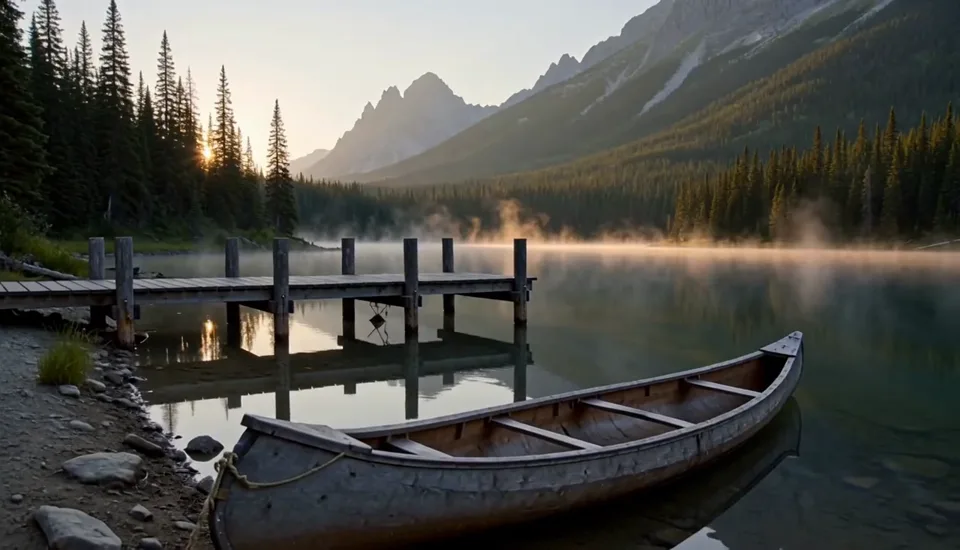
A slow lateral camera glide along the shore of a still mountain lake at sunrise. A weathered wooden canoe rests beside a small dock in the foreground, while a thin layer of mist drifts across the water. Tall pine trees and distant mountains remain stable behind the moving foreground. Soft amber sunlight, natural reflections, restrained cinematic realism, one uninterrupted shot. Sound: gentle water touching the dock and distant birds, no music or voices. No text or logos.

Light across a still life

A first-frame study of gentle light and fabric movement.

Prompt

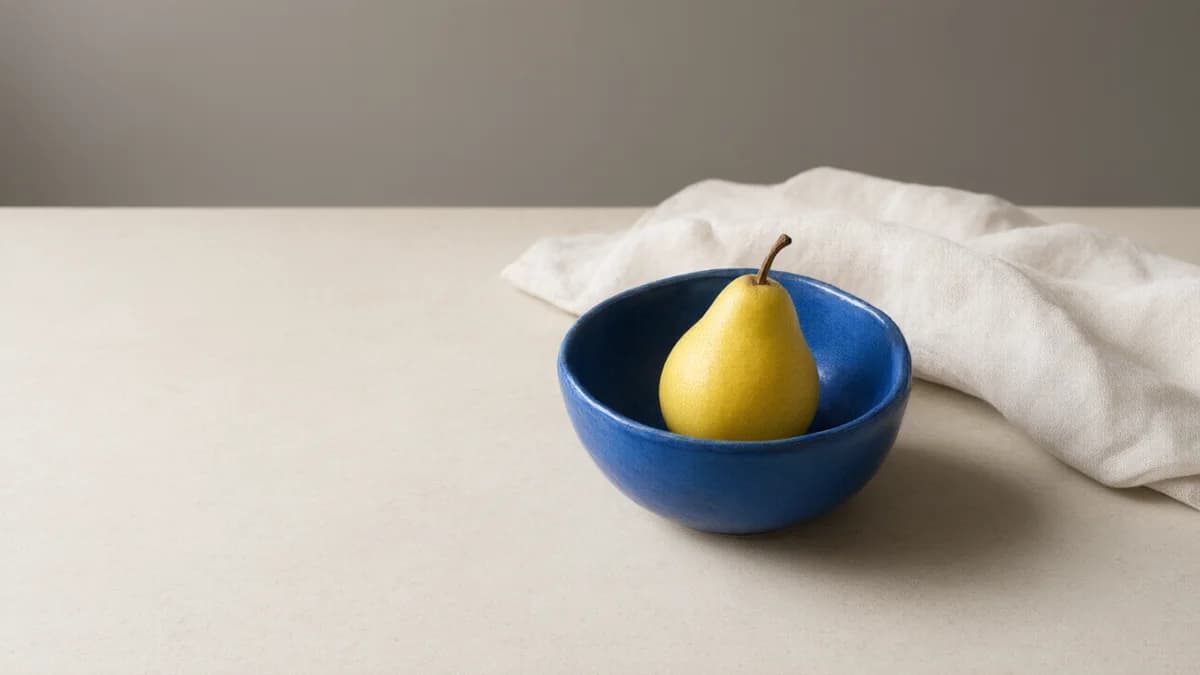
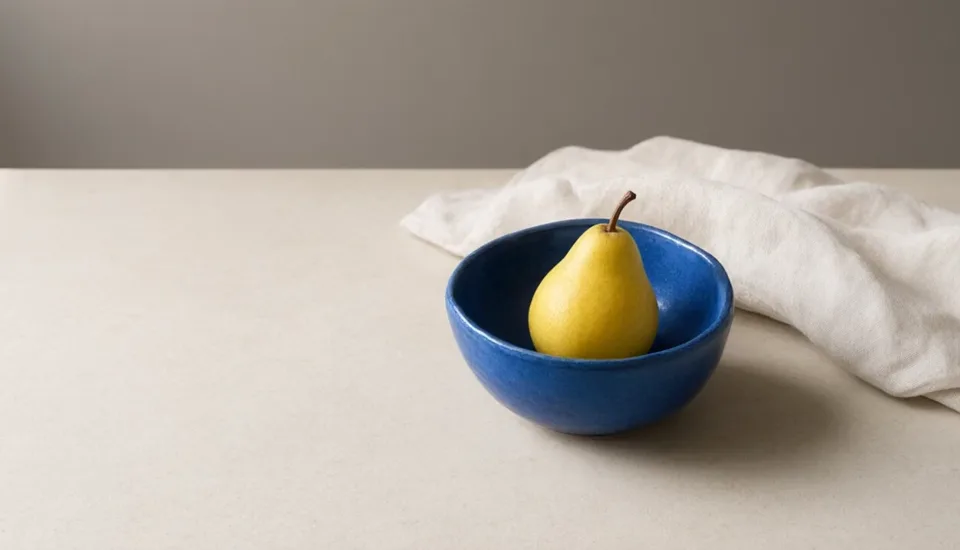
Starting from the supplied still-life image, keep the blue bowl, yellow pear, limestone surface and overall composition unchanged. A soft window shadow moves slowly across the empty left side while the edge of the linen shifts gently in a light breeze. Locked camera, natural daylight, subtle continuous motion throughout a single shot. Sound: quiet room ambience only. Do not add objects, words, logos or camera cuts.

Add your own first-frame image in the workspace.

What is MiniMax H3?

Turn a scene idea or a set of references into a short video with sound.

Use H3 to develop a product moment, animate an opening image, or combine visual and sound references. The examples above explore three different jobs: flowing honey, a moving landscape camera, and subtle motion in a still life.

Choose the controls for your shot, not a model name alone. For the earlier MiniMax model, visit the separate Hailuo 2.3 workspace.

Direct a shot

Set a subject, one action, and a camera path. Give the clip a clear beginning and ending.

Guide with references

Use Standard References for images, video, and audio; explain what each file contributes.

Write the sound

Name the ambience and important sound cues alongside the visible action, then check both tracks.

H3 Standard or Max: choose the controls

These are the options in this workspace, not a promise that one version wins every scene.
MiniMax H3 generation capabilities available in this workspace
VersionDurationOutputInput controls
H3 Standard4–15 seconds768p or 2KText, First / Last, References
H3 Max5–15 seconds480p or 768pText or First / Last; no References here

Choose Standard when you need multimodal References or 2K. Max offers a different set of output choices, including 480p, but does not expose References here. These examples use Standard; they are not a controlled Standard-versus-Max comparison.

Prompt Enhance
Returns an improved text prompt, not a video. Read it, remove unwanted additions, then submit a separate video request when ready.
768P → 2K
Regenerates your own completed Standard 768p task at 2K. For a new scene, you can instead select 2K directly in Standard.

Keep the composition. Give it movement.

Reference image of a yellow pear in a blue bowl, with linen and open space to the left
The opening image for “Light across a still life” above.

In First / Last mode, this image sets the blue bowl, yellow pear, limestone surface, and open space. The prompt asks for a moving window shadow and a slight breeze in the linen, with the camera locked.

Separate what stays fixed from what moves. An optional end frame gives the shot a destination; compatible framing helps avoid asking for an abrupt composition change.

Standard References is a different input mode. Give each file a role: subject, setting, movement, or sound. Keep within nine images, three videos, three audio clips, and twelve files total. Audio needs a visual reference alongside it.

From an idea to a usable short clip

  1. Choose the starting point

    Pick Text, First / Last, or Standard References. Upload only the files needed for this shot. Describe one visible action rather than a whole film.
  2. Set the shot and quote

    Check duration, framing, quality, and sound instructions. Recreate prepares the prompt; it does not submit. Review the displayed credit cost before choosing Generate.
  3. Review before another run

    Submit once and follow History or My Creation. Watch the full clip, inspect the subject and camera motion, and listen yourself. Change one instruction at a time.

Write motion you can actually review

Use the examples as shot studies: each has one main movement and something that should remain stable.

A practical prompt order

Subject and setting → visible action → camera → light → sound → constraints.

Start with the action that matters. Add detail only when it changes the shot, and avoid several competing camera directions.

Honey: follow the material
Look for continuous flow and a stable plate. If extra objects distract from the ribbon, simplify the scene before adding more descriptive language.
Lake: separate camera and environment
A lateral glide moves the foreground; mist moves gently on its own. Check the shoreline for warping rather than judging only the opening frame.
Still life: name what stays fixed
Keep the bowl and pear stationary while the shadow and linen move. A locked camera makes unintended subject movement easier to notice.

Compare the workflow before changing models

Choose by the controls you need. Different prompts and selected examples do not establish a speed, price, or quality ranking.
Available controls and reasons to choose a related video workspace
WorkspaceControls to compareWhen the difference matters
H3 StandardText, frames, multimodal References; direct 2K or a separate regeneration step.Build a reference-led shot, or revisit your own completed Standard 768p clip at 2K.
Kling 3.0Model and mode selectors, Audio, and a Multi-shots editor with individual shot prompts and durations.Plan a sequence through explicit shot controls rather than one continuous prompt.
Kling 3.0 TurboText or a first frame, with duration and quality choices; no H3 capability selector.Work from a single opening composition without H3's multimodal References mode.
Seedance 2.0Standard / Fast, Audio, image input modes, and numbered image, video, or audio references.Assign reference roles with its own prompt tags and input rules; check quality options after switching versions.

MiniMax H3 questions, answered

Is this MiniMax H3 or Hailuo 2.3?

This workspace uses MiniMax H3 through APIMart. Hailuo 2.3 is a separate model, not another name for H3. RSW AI Studio is not the official MiniMax website.

Does H3 generate audio?

H3 generates sound with the video. Describe ambience or a short spoken line, then review the result yourself. Examples start muted; an audio track does not guarantee accurate dialogue or synchronization.

How much does MiniMax H3 cost?

Read the current credit quote on Generate. Duration, quality, and reference inputs affect cost. Prompt Enhance and 2K regeneration are separate paid operations; a subscription does not automatically make H3 unlimited.

Can 768P → 2K upgrade any uploaded video?

No. Select your own completed H3 Standard 768p task. Regeneration reuses its original prompt and references and is charged separately. It is not a general video upscaler.

Will Recreate reproduce the example exactly?

No. It loads the starting prompt and compatible mode without generating or uploading the example's reference. Supported settings are preserved; conflicting references may block the change. Review your files and quote before submitting.

Can I start without any reference files?

Yes. Choose Text in Standard or Max. Use First / Last when you have an opening image; add an optional end frame only when you need a defined destination.

Choose Your Plan

Seedance 2.0Seedance 2.0Sora 2Sora 2Veo 3.1Veo 3.1Grok Imagine Video 1.5Grok Imagine Video 1.5KlingKlingNano BananaNano BananaGPT Image 2.0GPT Image 2.0Grok ImageGrok ImageElevenLabs TTSElevenLabs TTSSunoSuno
No hidden fees. Cancel anytime.
MOST POPULAR

Pro

$13$4.99/month equivalent

$59.88 billed annually

60% OFF vs Monthly

417 credits /month

+117 Bonus vs Monthly$0.012/credit
  • Access to all video models
  • Up to 6 Concurrent Tasks
  • At least ~416 images/month
  • Up to ~60 videos/month
  • At least ~52 songs/month
  • High Removing Stability
  • Priority customer support

Unlimited Generation Privileges

Free to generate, lower priority

  • GPT Image 2.01K/2K/4K30 Days Unlimited
  • NanoBanana Pro1K/2K/4K30 Days Unlimited
  • ElevenLabs TTS30 Days Unlimited
  • Suno30 Days Unlimited
BEST VALUE

Pro Unlimited

$70$39/month equivalent

$468 billed annually

45% OFF vs Monthly

2,500 credits /month

  • Access to all video models
  • Up to 10 Concurrent Tasks
  • At least ~2,500 images/month
  • At least ~357 videos/month
  • At least ~312 songs/month
  • Maximum Removal Stability
  • Priority customer support

Unlimited Generation Privileges

Free to generate, high priority

  • Seedance 2.0480P/720P
    Seedance 2.0 Fast10 Days Unlimited
    Seedance 2.0 Standard10 Days Unlimited
    Seedance 2.0 Mini10 Days Unlimited
  • GPT Image 2.01K/2K/4K365 Days Unlimited
  • NanoBanana Pro1K/2K/4K365 Days Unlimited
  • Sora 210 Days Unlimited
  • Sora 2 Pro10 Days Unlimited
  • Grok ImagineVideo 1.514 Days Unlimited
  • Kling 3.010 Days Unlimited
  • ElevenLabs TTS365 Days Unlimited
  • Suno365 Days Unlimited
ULTRA

Pro Ultra Unlimited

$174$58/month equivalent

$696 billed annually

66% Cheaper Than Competitors

3,750 credits /month

  • Access to all video models
  • Up to 20 Concurrent Tasks
  • At least ~3,750 images/month
  • At least ~530 videos/month
  • At least ~464 songs/month
  • Maximum Removal Stability
  • Priority customer support

Unlimited Generation Privileges

Free to generate, priority capacity

  • Seedance 2.0480P/720P
    Seedance 2.0 Fast30 Days Unlimited
    Seedance 2.0 Standard30 Days Unlimited
    Seedance 2.0 Mini365 Days Unlimited
  • GPT Image 2.01K/2K/4K365 Days Unlimited
  • NanoBanana Pro1K/2K/4K365 Days Unlimited
  • Sora 2720P365 Days Unlimited
  • Sora 2 Pro720P365 Days Unlimited
  • Grok ImagineVideo 1.5480P/720P365 Days Unlimited
  • Kling 3.0720P365 Days Unlimited
  • ElevenLabs TTS365 Days Unlimited
  • Suno365 Days Unlimited
MAX

Pro Max Unlimited

$249$199/month equivalent

$2388 billed annually

20% Cheaper Than Competitors

5,000 credits /month

  • Access to all video models
  • Up to 30 Concurrent Tasks
  • At least ~5,000 images/month
  • At least ~714 videos/month
  • At least ~624 songs/month
  • All Pro Unlimited features included

Unlimited Generation Privileges

365-day priority-capacity access

  • Seedance 2.0480P/720P
    Seedance 2.0 Fast365 Days Unlimited
    Seedance 2.0 Standard365 Days Unlimited
    Seedance 2.0 Mini365 Days Unlimited
  • GPT Image 2.01K/2K/4K365 Days Unlimited
  • NanoBanana Pro1K/2K/4K365 Days Unlimited
  • Sora 2720P365 Days Unlimited
  • Sora 2 Pro720P365 Days Unlimited
  • Grok ImagineVideo 1.5480P/720P365 Days Unlimited
  • Kling 3.0720P365 Days Unlimited
  • ElevenLabs TTS365 Days Unlimited
  • Suno365 Days Unlimited

Buy More Credits

Add one-time credit packs anytime. Existing subscription benefits remain unchanged.

Basic

$29.90

ONE-TIME • No recurring charges

2,000 credits$0.0149 / Credit
Base rate
28% OFF

Standard

$69.90

ONE-TIME • No recurring charges

6,500 credits$0.0108 / Credit
42% OFF

Ultra

$199.90

ONE-TIME • No recurring charges

23,000 credits$0.0087 / Credit